Renew a Single Site License with No Changes
Summary of Procedure
- Review Business Information (option to edit)
- Review Testing Site Information (options to edit)
- Associate Sites
- Upload Documents
- Application Summary
- Application Attestation
- Payment
Requirements
Refer to
Renewal Online Application webpage.
To renew your California laboratory testing license, first,
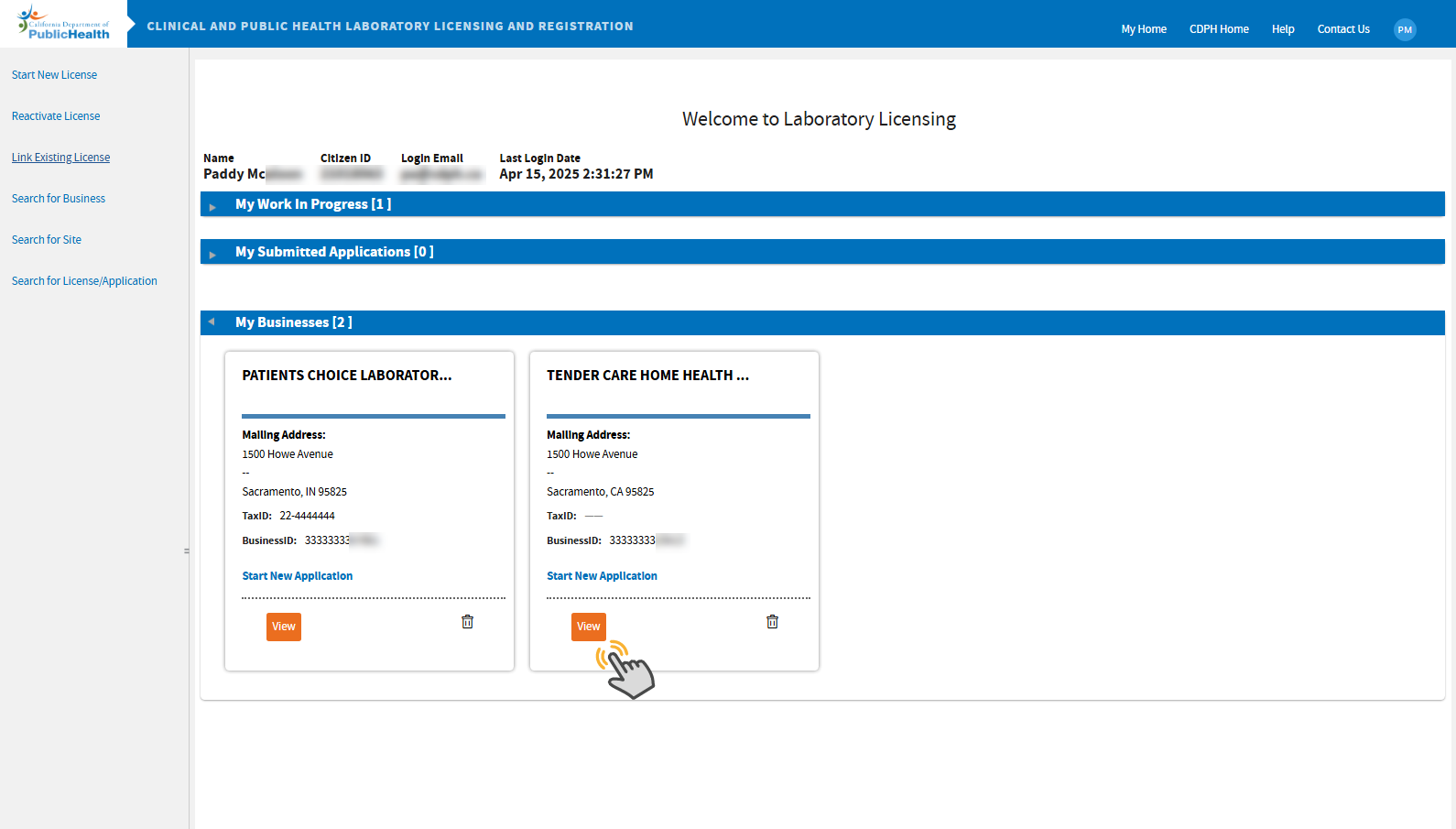
log in and on your
welcome screen, click the
View button on the appropriate business tile. This will take you to the business' dashboard. Refer to the screenshot below:
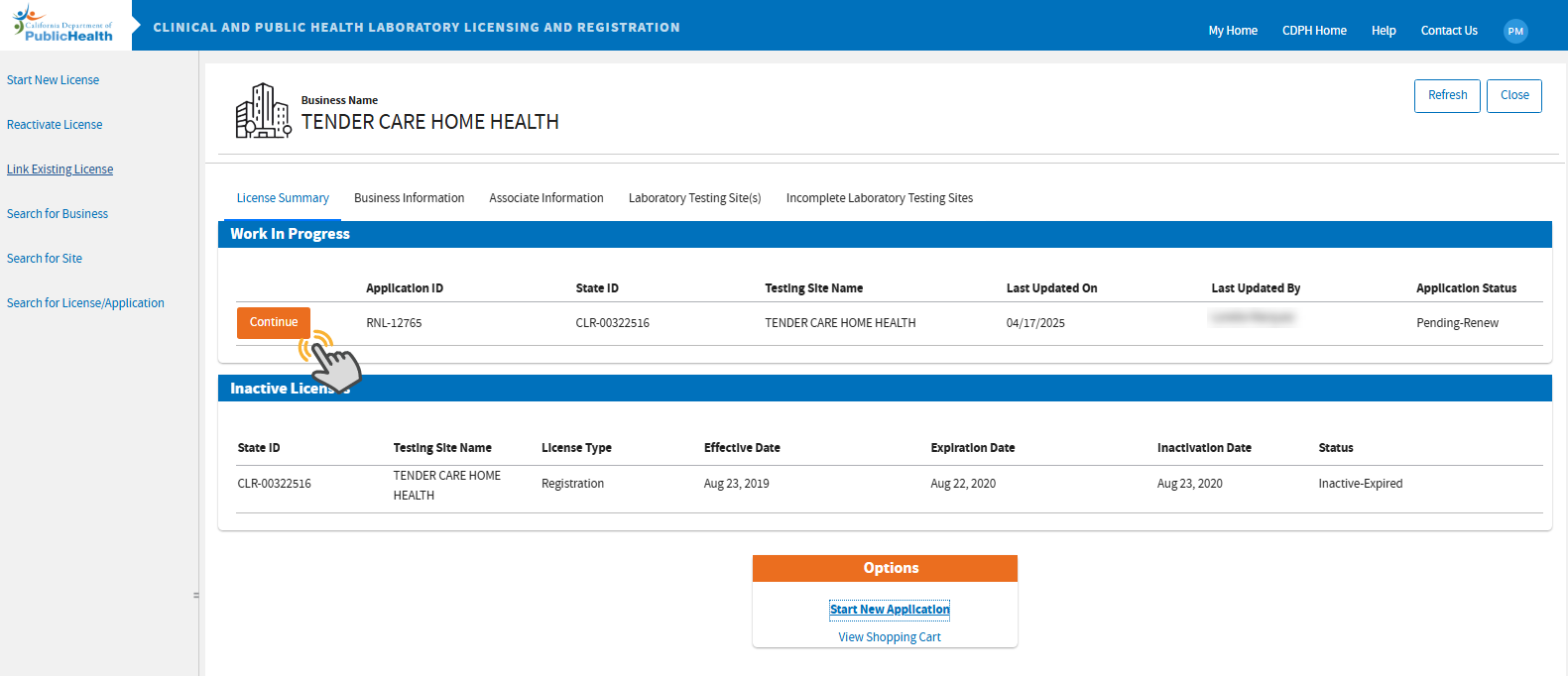
 On the business dashboard, click the
Continue button on the appropriate license you are renewing. If you don't see a Continue button, please contact us and include your State ID/license number. DO NOT click "Start New Application."
On the business dashboard, click the
Continue button on the appropriate license you are renewing. If you don't see a Continue button, please contact us and include your State ID/license number. DO NOT click "Start New Application."
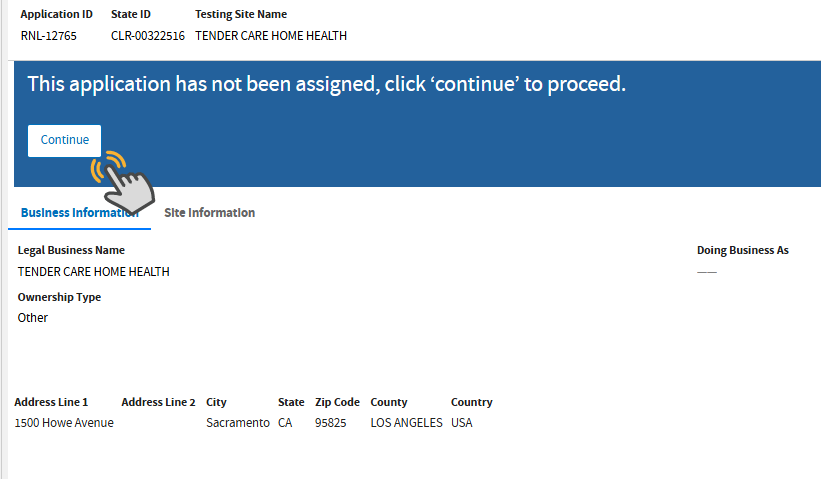
 Review the current Business and Site Information. Click
Continue.
Review the current Business and Site Information. Click
Continue.
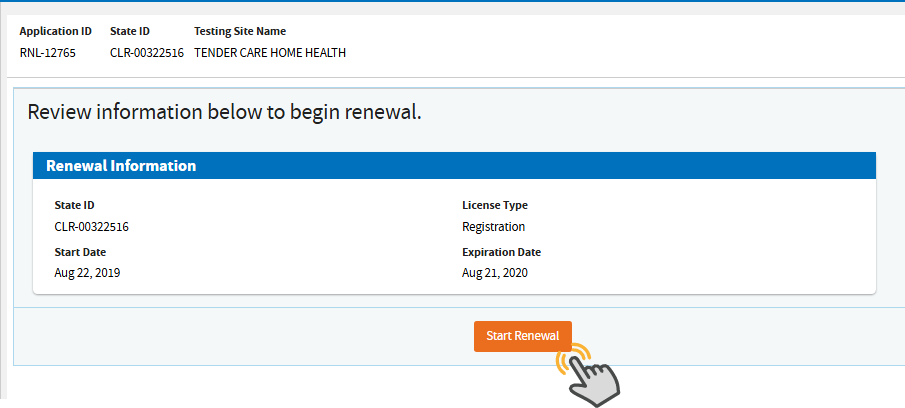
 Click
Start Renewal.
Click
Start Renewal.
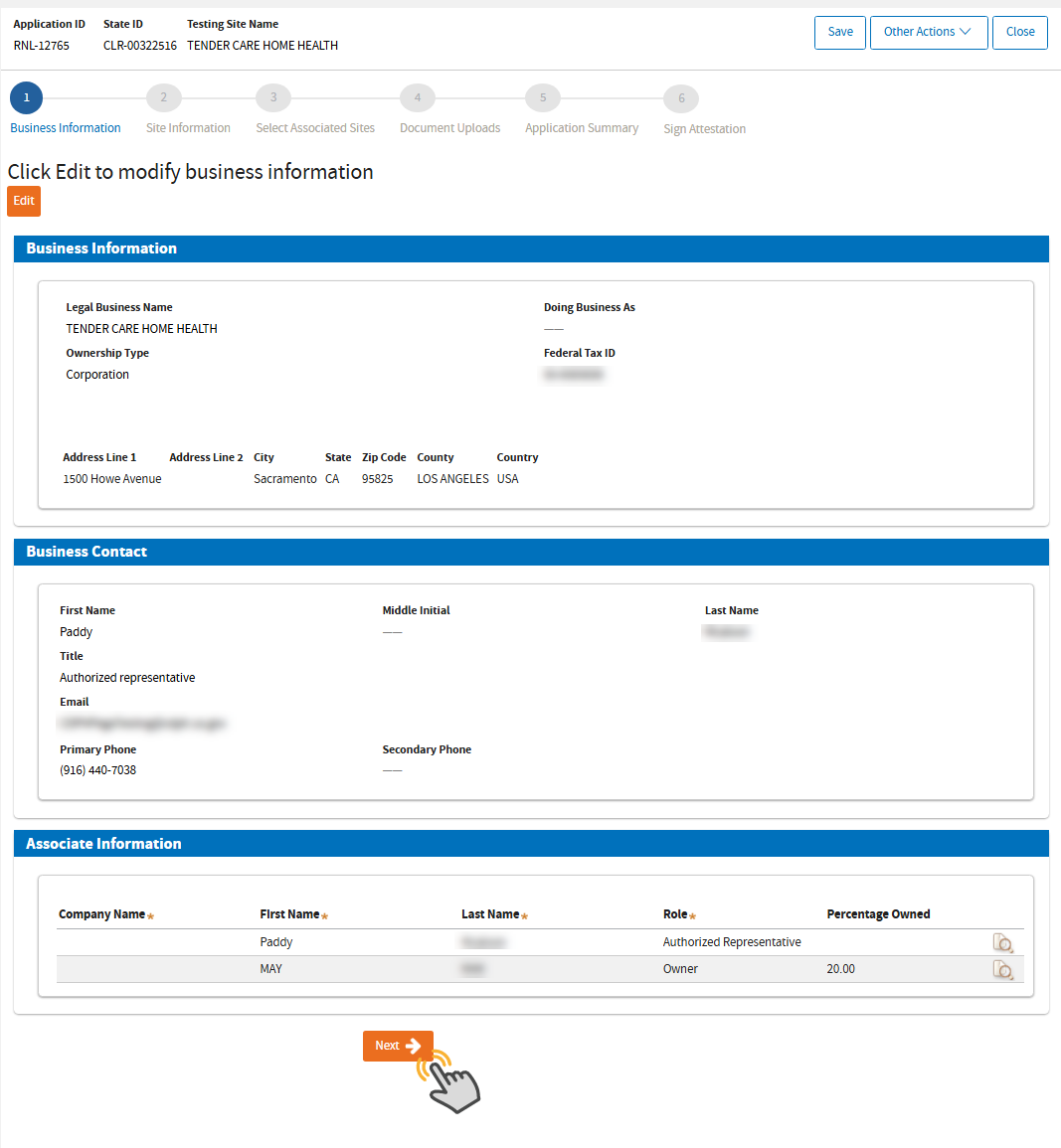
Review Business Information
 On this page, you will review the business information. You can update this by clicking the
Edit button as shown, or click
Next if you don't have any changes:
On this page, you will review the business information. You can update this by clicking the
Edit button as shown, or click
Next if you don't have any changes:
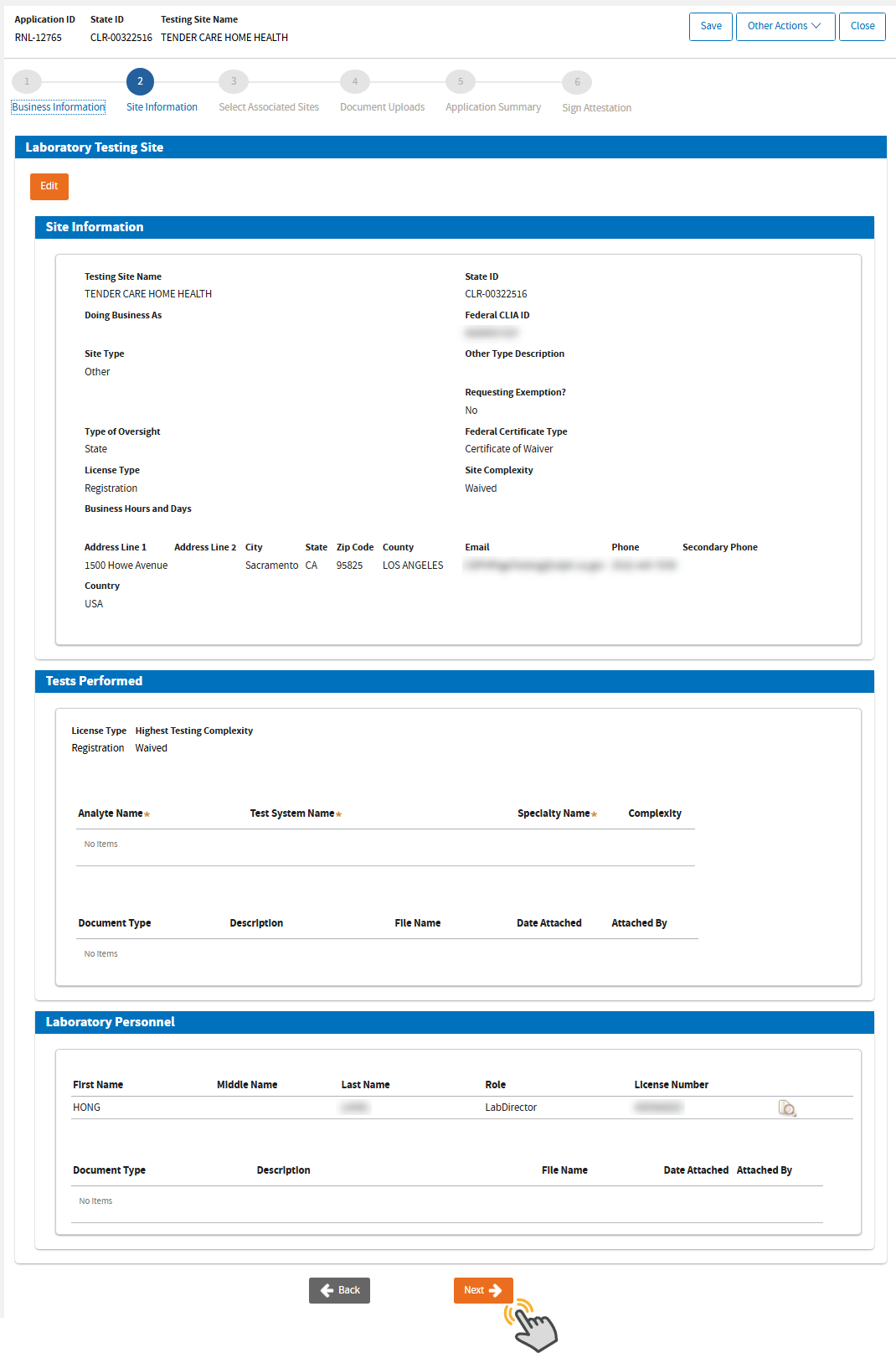
Review Testing Site Information
 On this page, you will review the testing site information. You can update this by clicking the
Edit button as shown, or click
Next if you don't have any changes:
On this page, you will review the testing site information. You can update this by clicking the
Edit button as shown, or click
Next if you don't have any changes:
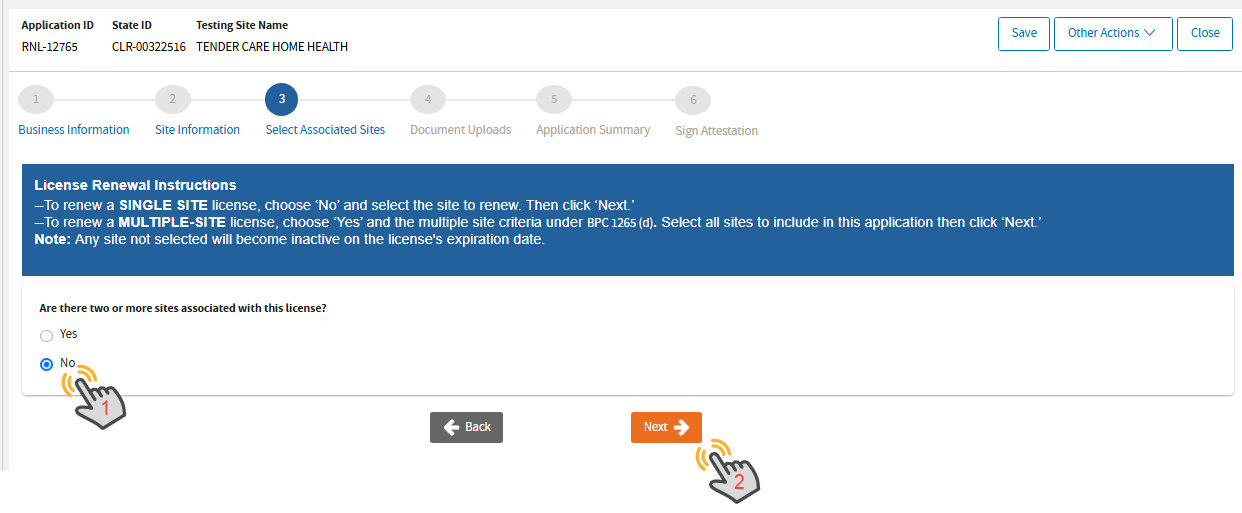
Associate Sites
 Read the instructions. This user manual is for a single site straight renewal; therefore,
No should be selected. Then, click
Next.
Read the instructions. This user manual is for a single site straight renewal; therefore,
No should be selected. Then, click
Next.
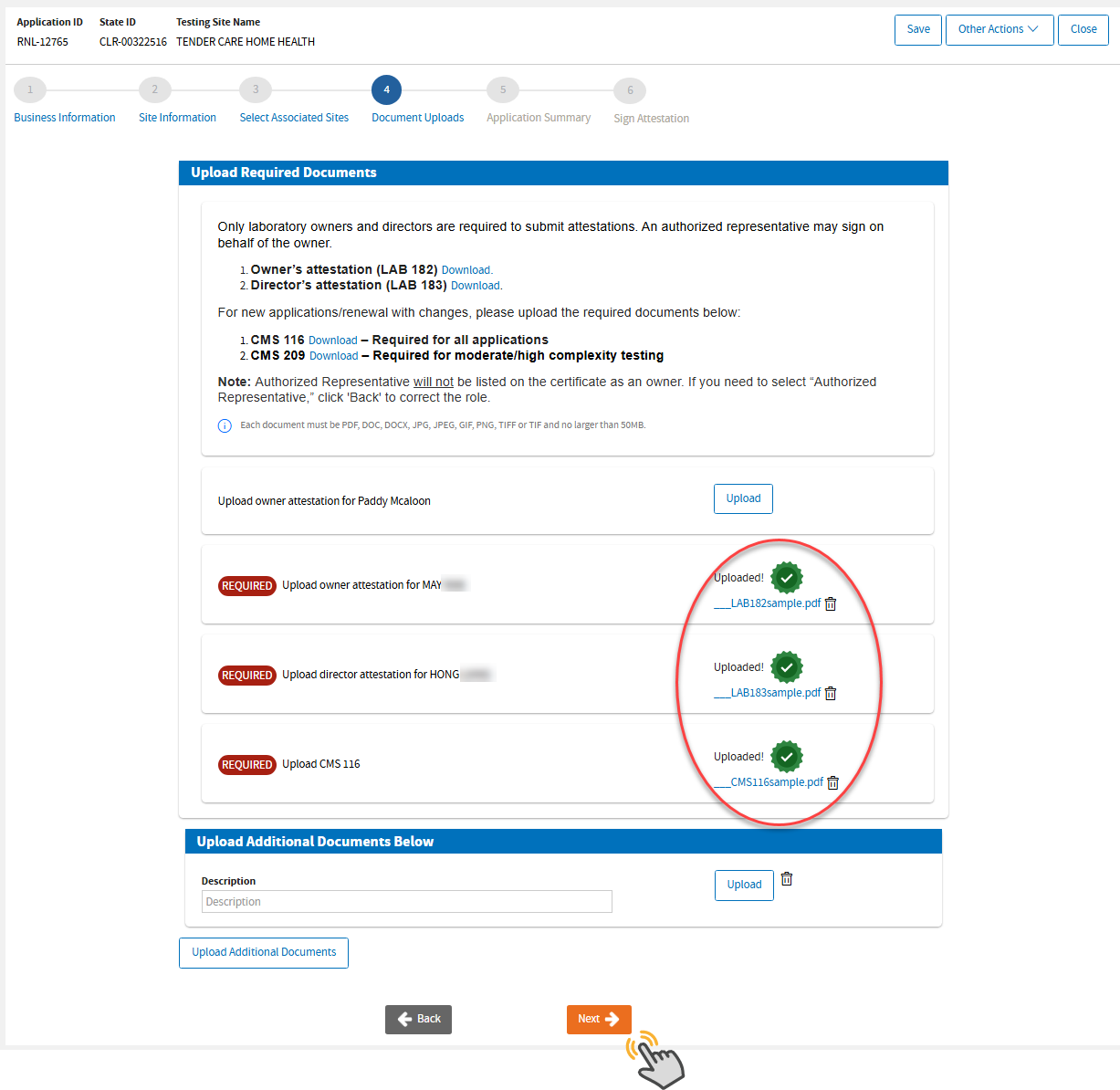
Upload Documents
 Upload the required documents. If you made any changes, you are required to upload a
CMS 116 (PDF) federal form so we could update your information with your CLIA record.
Upload the required documents. If you made any changes, you are required to upload a
CMS 116 (PDF) federal form so we could update your information with your CLIA record.